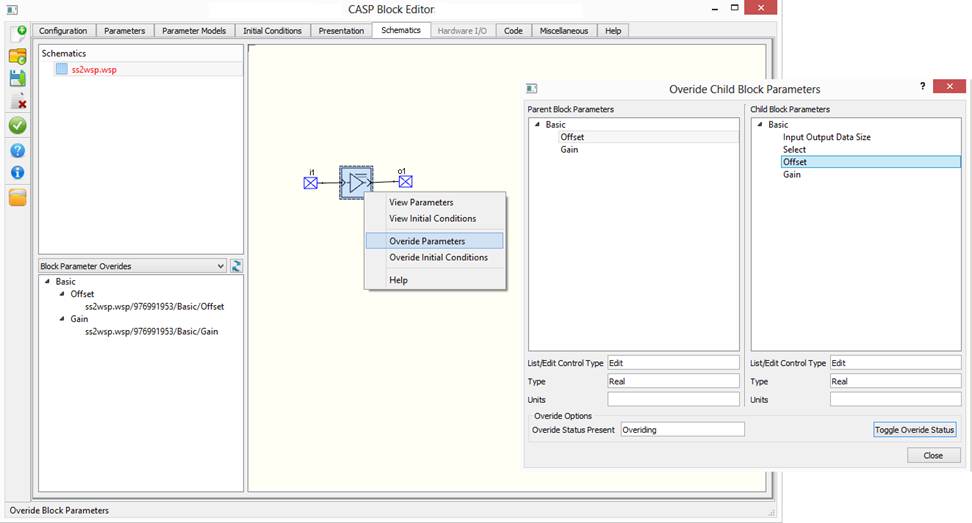
Block parameters of child blocks appearing in secondary block’s work space files can be over ridded by secondary block parameters. Block parameter over riding works only if following conditions are met:
· Blocks shall be non-intrinsic
· Block parameter internal variable shall be defined for parent and child blocks
· Block parameter variable type “Pre-Processor Definition’ cannot be overridden.
· Block parameter variable type ‘Constant’ cannot be used with structure/function code model.
· Block parameters of parent and child blocks shall be of same data type.
Procedure to over ride block parameter is described below:
· Open secondary block in Block Editor.
· Go to Schematics tab where block workspace files are displayed.
· Right click on block for which block parameters are to be over ridded. Select ‘Overide Parameters’ as show in below figure
· A dialog box appears where both parameters of secondary block (parent block) and child block are displayed. Select relevant parameters from both blocks and press ‘Toggle Overide Status’ button to override as shown in below figure.