

CASP supports online and offline updating of CASP components such as target BSPs (Board Support Package), CASP block database files and CASP core files.
Updating CASP Components (online and offline)
·
‘CASP
Updater’ program is a recommended way
to update all CASP related components, both online and offline.
program is a recommended way
to update all CASP related components, both online and offline.
·
Start
CASP and click Start button on top left corner. From the drop down
menu select Update
button on top left corner. From the drop down
menu select Update -> CASP Updater
 .
.
· CASP Updater program will start and below window is displayed.
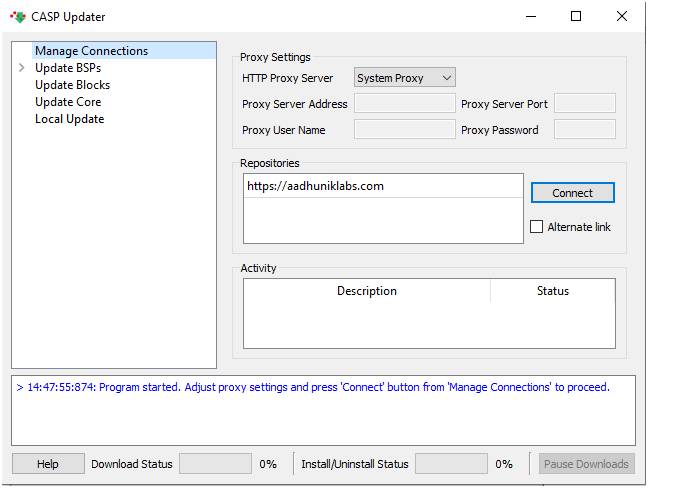
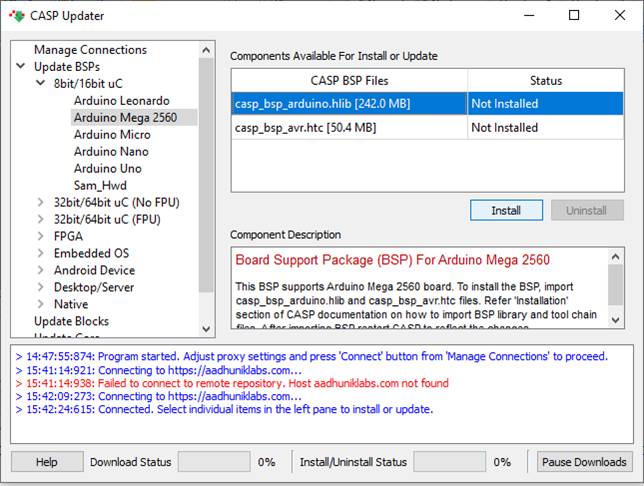
· To update from online, ensure your computer is connected to the internet. From the above figure set suitable ‘Proxy Settings’ and press ‘Connect’ button. CASP will load all the installable components from the server. A typical screen shot after successfully connecting to remote server is shown below. Select the component you want to install or uninstall and press Install or Uninstall buttons accordingly.
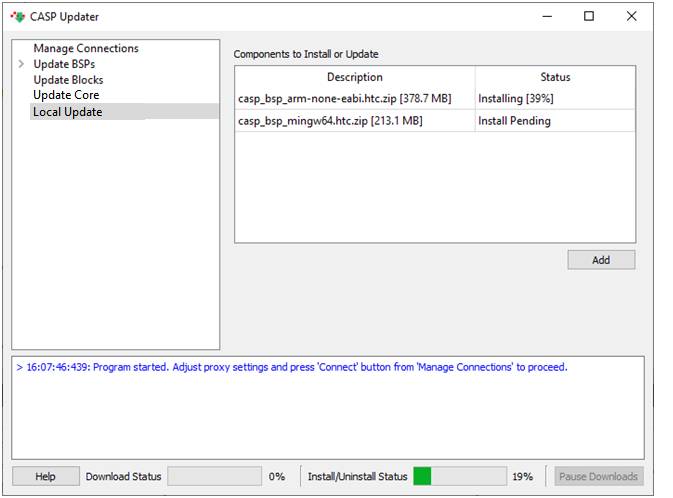
· Offline Update: If user is already having installable files (*.cab, *.hlib.zip, *.htc.zip, *.htc.tar.xz) on his/her local computer, CASP offline install method can be used. For installing offline, internet connection is not required. User has to select ‘Local Update’ on left tree view and click ‘Add’ button on the right to add files to install. The installation process will start immediately. Sample screen shot is shown below
Updating CASP Components Offline (alternate method)
· CASP components can also be updated without ‘CASP Updater’. In this method, user has to pre-download installable components (*.cab, *.hlib.zip, *.htc.zip, *.htc.tar.xz) manually on to his/her local computer (similar to ‘CASP Updater’).
·
Start
CASP and click Start button on top left corner. From the drop down
menu select Update -> Update From File. User has to browse and select the file and press
’Open’ to install.