As you are aware by now, CASP builds the desired logic by inter connecting a set of blocks. Each block represents a pre-defined purpose or logic and is implemented through C/C++ code.
As discussed extensively in previous sections, CASP uses graphical user interface (GUI) to select these blocks, connect them, configure they parameters and finally build and run them on the target hardware. Using CASP Python Libraries user can now perform all these activities through a Python script. This section discusses about how to develop CASP models using CASP Python Libraries and deploy them on the targets (supported by CASP) right from 8-bit Arduino micro-controller boards to Desktop computers. Following points are to be noted when using this method
· Standard Python code can be used to alter CASP model creation logic.
· Here, CASP binaries are still used in the background to do the heavy lifting work of model creation, compilation and deploying the model on the target. The Python side script starts the CASP executables as a sub-process in the background and interacts with them using a simple command line interface (CLI) to perform the above functions.
· The generated binaries do not contain any code related to the Python. Hence, they can deliver high performance with minimal binary file size.
· User can develop Python script in interactive and non-interactive modes.
· 3rd party Python packages are currently not supported in this method.
Getting Started
Step 1: Ensure Python software and CASP Python Libraries are installed on the computer. Refer this section for details on how to make things ready for writing Python script using CASP Python Libraries.
Step 2: Create a new Python script file or open an existing one in any directory of your choice. Add CASP Python Libraries installation path at the top of your Python script file (if required). The details on how to add the path in your script is given here.
Step 3: Start writing Python script using CASP Python Libraries
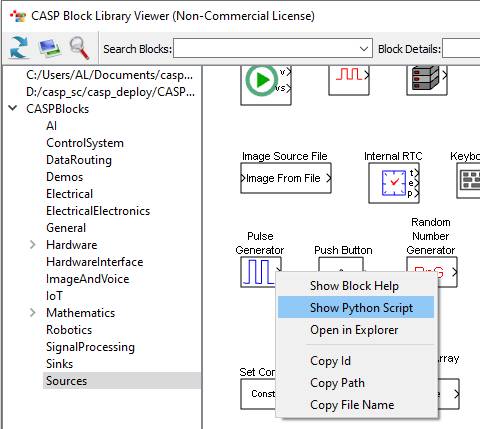
Step 4: CASP blocks are used as modules in your Python script. Guidance on how to use the block in a Python script is available by clicking on the block from Block Viewer and selecting ‘Show Python Script’, as shown in below figure.
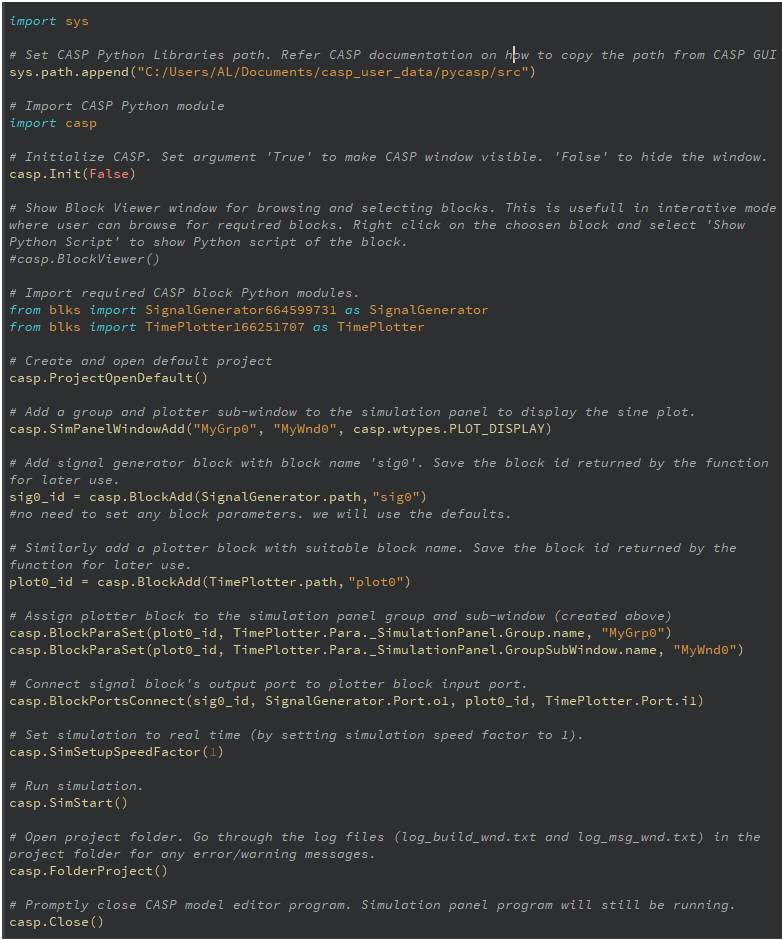
Example 1: Sample code that creates a CASP model to shows a time varying sinusoidal waveform in Simulation Panel
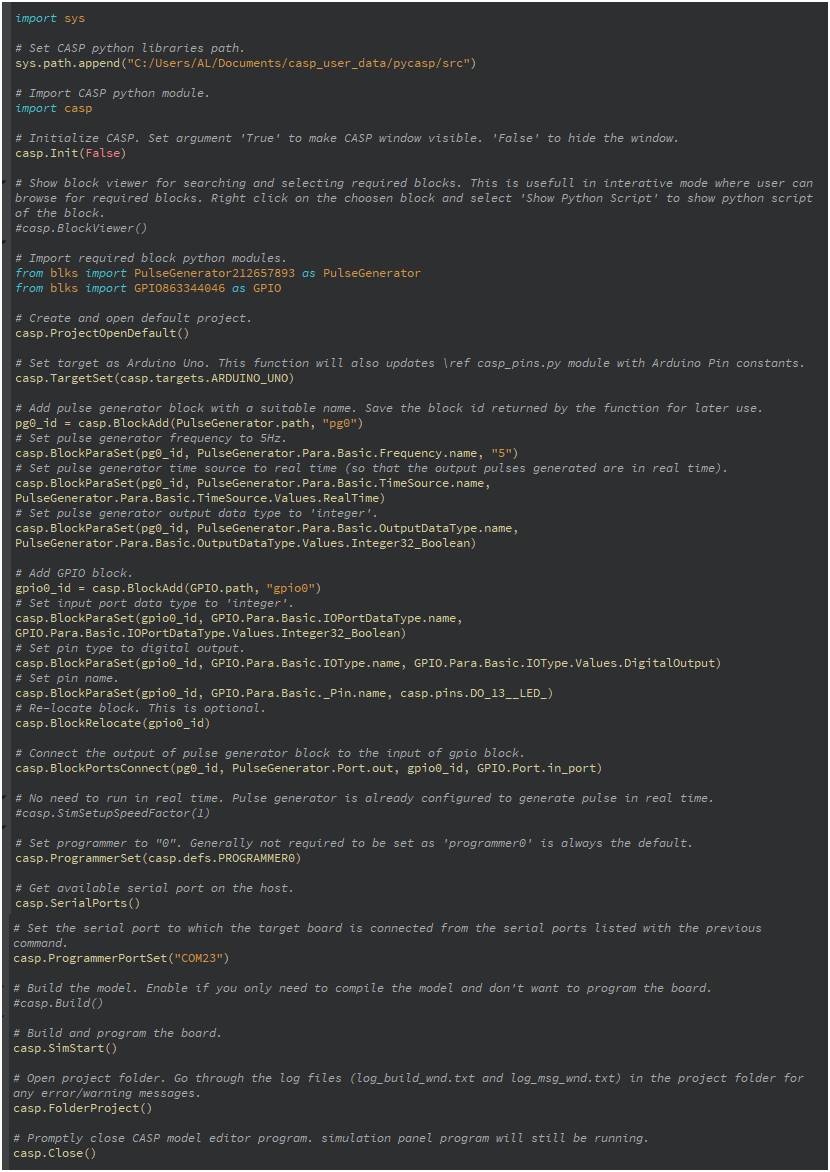
Example 2: LED blink example on Arduino Uno