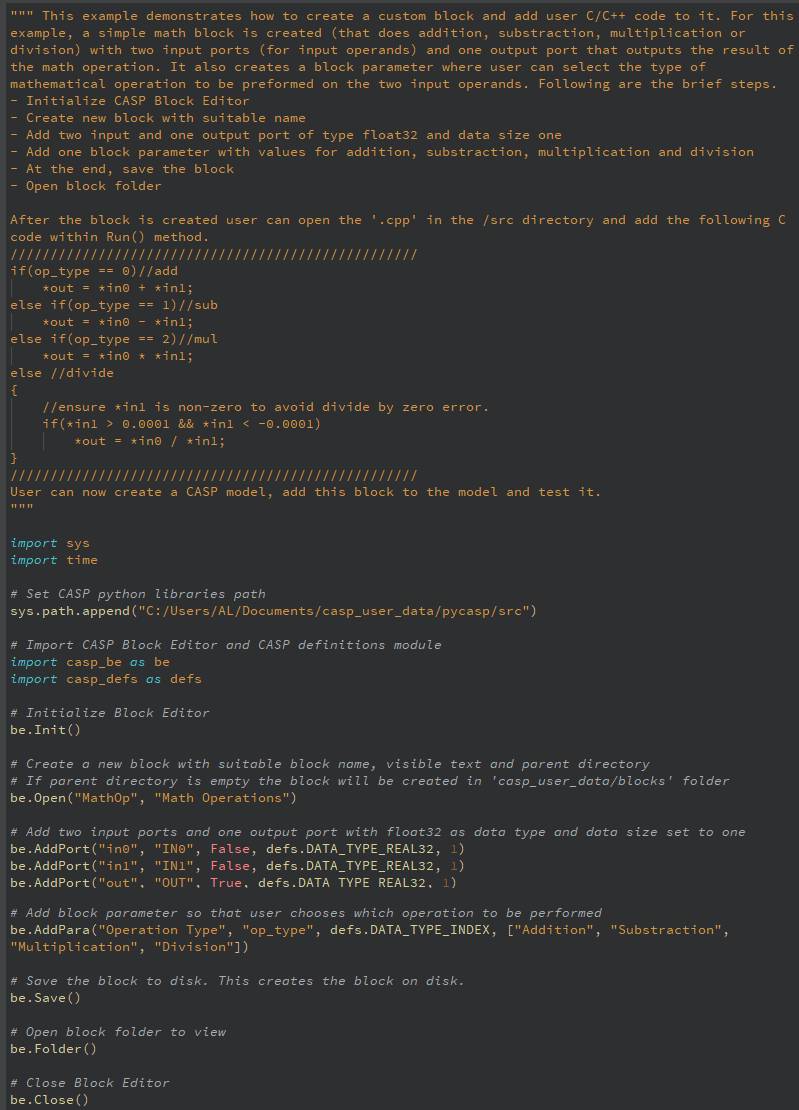
This section discusses how to create a CASP user block in Python similar to the one created using CASP Block Editor.
Getting Started
Step 1: Ensure Python software and CASP Python Libraries are installed on the computer. Refer this section for details on how to make things ready for writing Python script using CASP Python Libraries.
Step 2: Create a new Python script file or open an existing one in any directory of your choice. Add CASP Python Libraries installation path at the top of your Python script file (if required). The details on how to add the path in your script is given here.
Step 3: Start writing Python script using CASP Python Libraries. Refer below self explanatory example on how to create a CASP block in Python