Simulation
Panel is a separate window launched as a child process for simulating CASP
models. It consists of necessary user interface to control simulation and to
display simulation control and display block items such as plots, meters,
push-buttons, sliders and more. Simulation panel window can be sub-divided
into:
·
Left Control Window: It consists of control buttons
such as Run, Pause, Stop etc. to control simulation state.
·
Center Window: It embeds simulation block items
segregated as group windows and sub-windows.
·
Bottom Window: It is used to view messages displayed
during simulation.






Simulation
Panel Controls
|
|

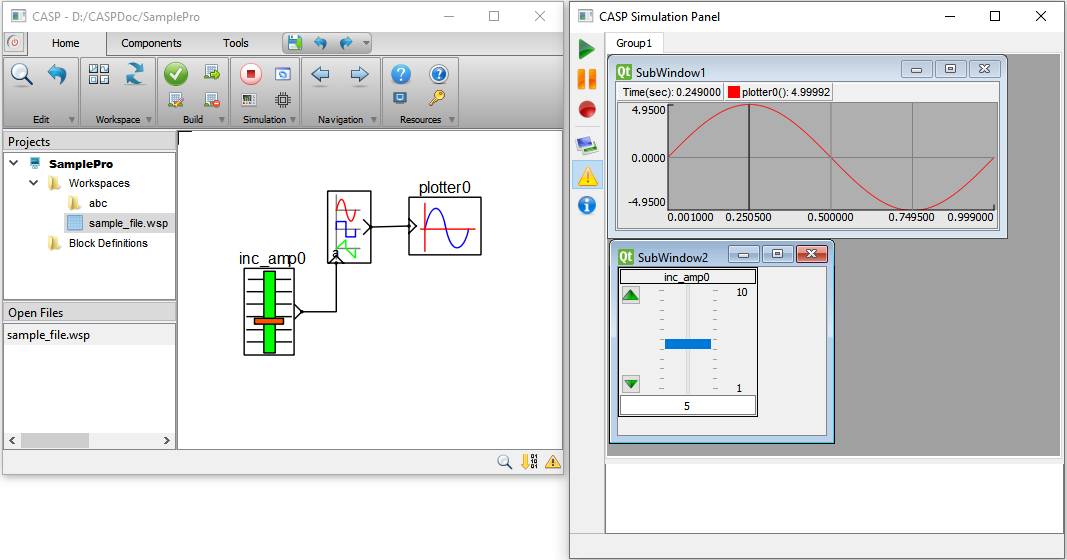
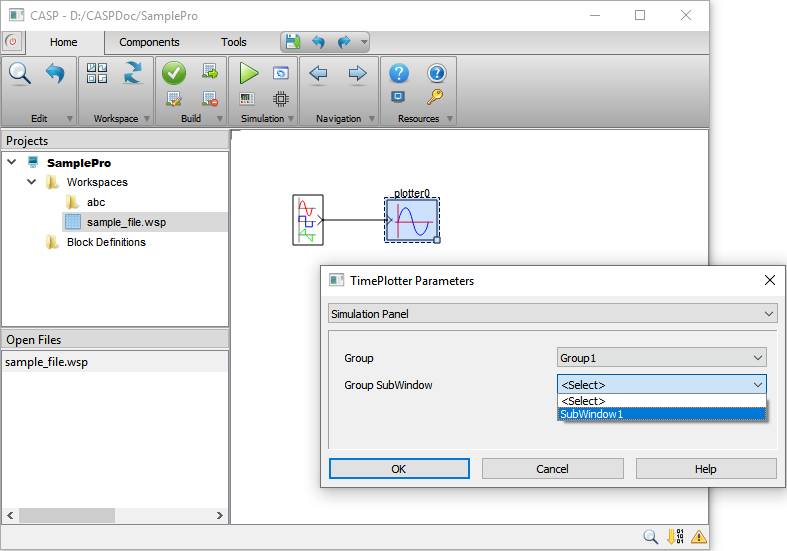
For simulation panel blocks (slider and
plotter blocks in above figure) placed in the model, corresponding controls
should appear in simulation panel window (shown in above figure). Placement of
block in particular group and its sub-window is done by selecting corresponding
group and sub-window from block parameters dialog as shown below. Modifying
simulation panel groups and sub-windows layout is discussed here .