

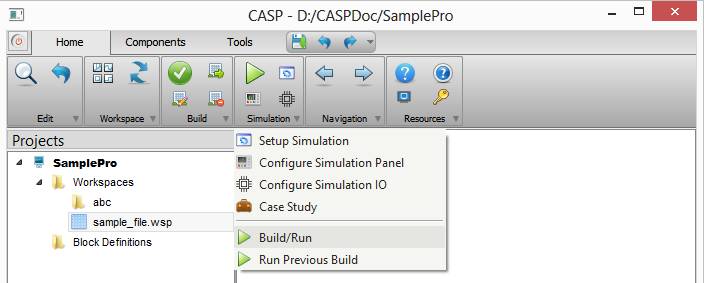
Project model can be simulated when native hardware is selected or can be executed when target hardware is selected. User interface controls related to Simulation/Execution is available under Home->Simulation in main tool bar. Description of each menu item is given in below table
|
Setup Simulation |
Refer this topic. |
|
Here user configures simulation panel layout. |
|
|
This window allows user to configure simulation input output hardware interface. |
|
|
Case Study |
This is under development |
|
Build/Run |
Builds and Simulate model – if native hardware is selected Builds and Upload model to hardware memory for execution – if target hardware is selected |
|
Run Previous Build |
Simulate previous build model (if native hardware is selected) |