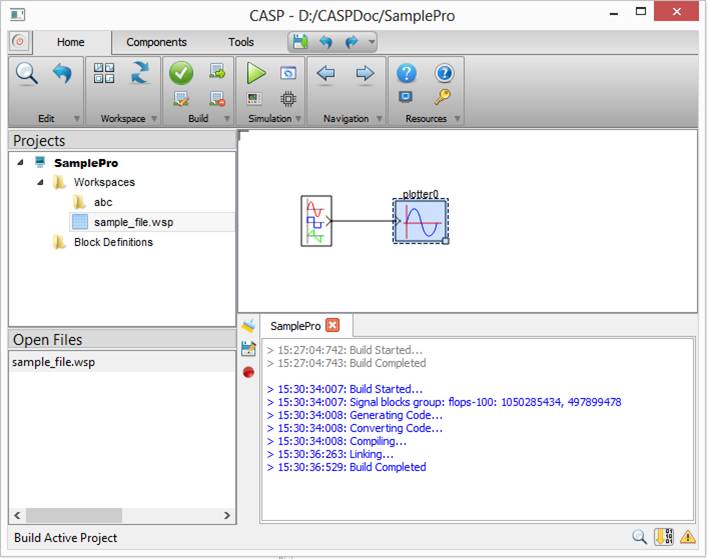
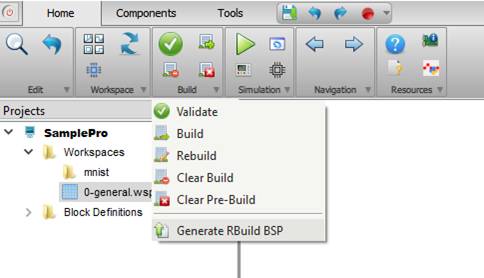
Project building and compilation can be controlled from menu items available under Home->Build in main tool bar. Description of each menu item is given in below table
|
Validate |
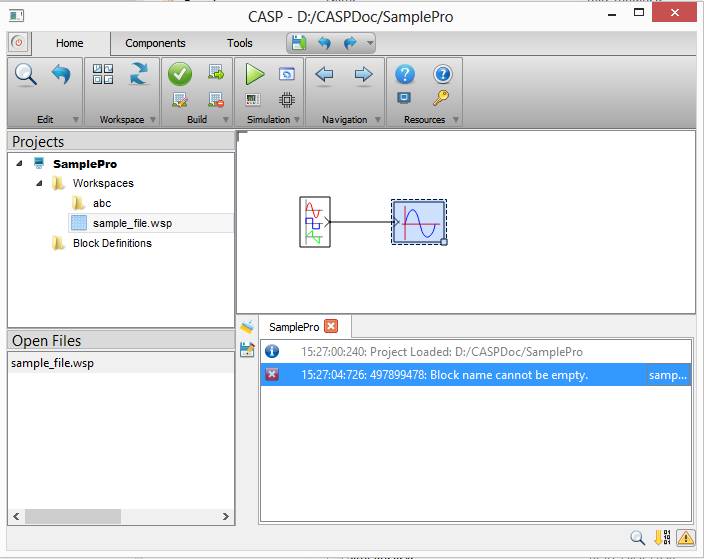
This option can be used to quickly validate the model before building. Messages during validation are displayed in message window. |
|
Build |
Builds the model including model validation. This option used previous build data to reduce build time. Messages during build process are displayed in build window. |
|
Rebuild |
Rebuilds the model deleting previous build data. Rebuild takes much longer time than Build. |
|
Cancel Build |
Cancels current build process. |
|
Clear Build |
Clears build data from /bin directory |
|
Clear Pre-Build |
Clears build data from /bin and /bin_pb directories |
|
Generate RBuild BSP |
When a remote build target hardware is selected as the current target, this option generates remote build BSP and tool chain files for the currently selected remote build target. |
Typical message window during validation is shown below
Typical build window messages during building & compiling is shown below